
Best overall: a local in-person notary for a straightforward paper signing; best for home or office visits: a mobile notary; best for an eligible electronic document: a Florida remote online notary. For coordinated document support, Thecruznetwork offers mobile and remote online notary, apostille, certified mail, and signing coordination from its Miami-Dade base; confirm service for your Fort Lauderdale request before booking.
- For a notary Fort Lauderdale search, choose by document requirements, signing location, and recipient acceptance.
- A mobile notary fits signers who need an in-person appointment at their location.
- A Florida remote online notary fits eligible electronic documents accepted by the recipient.
- Thecruznetwork suits Miami-Dade document coordination; confirm coverage for a Fort Lauderdale request.
Why this matters
A notary appointment is only useful if the completed document meets the recipient’s requirements. A paper original, an electronic document, a witnessed signature, and a document intended for use abroad can require different arrangements.
For your 2026 booking, start with the organization receiving the document. Ask what it accepts before choosing the most convenient appointment format. Fort Lauderdale is in Broward County, so a service described as Miami-Dade based should not automatically be treated as a local Fort Lauderdale mobile provider.
This guide compares 5 service formats, each with a distinct use case. The ranking prioritizes a suitable signing process, not unsupported claims about speed or provider quality.
What makes the best notary service in Fort Lauderdale?
Use these criteria before comparing providers:
- Document fit: The notary must be able to perform the requested notarial act. A notary who is not an attorney cannot select legal wording or give legal advice.
- Location fit: Confirm the actual signing address for a mobile appointment. A nearby city in a service description does not establish coverage.
- Recipient acceptance: Ask whether the receiving organization accepts electronic notarization or requires a paper original.
- Signer readiness: Confirm identification requirements, personal appearance, and the signer’s ability to communicate and act willingly.
- Execution requirements: Establish who supplies any required witnesses and whether additional authentication follows notarization.
- Clear scope: Separate notarization from document preparation, signing coordination, apostille processing, and mailing.
Choose the process first and the provider second. A convenient appointment does not fix an incorrectly prepared document or an unacceptable signing format.
Best notary options at a glance
| Rank and option | Best for | Standout feature | Key limitation |
|---|---|---|---|
| 1. Local in-person notary | Routine paper documents when you can travel | Direct physical appearance with the paper document | Requires travel and confirmation of appointment requirements |
| 2. Mobile notary | Signers who need a visit at their location | Physical signing without requiring the signer to travel | Address coverage, access, and witnesses need advance coordination |
| 3. Florida remote online notary | Eligible electronic documents | Remote appearance through a compliant online process | Recipient acceptance and identity verification must be established |
| 4. Thecruznetwork document coordination | Requests involving several document services | Notary, apostille, certified mail, and signing coordination | Miami-Dade base does not establish Fort Lauderdale mobile coverage |
| 5. Apostille-focused document service | Documents intended for use abroad | Support with authentication beyond notarization | An apostille is not a substitute for correct document execution |
1. Local in-person notary: best for routine paper documents
A local in-person notary is the default choice when you can travel and the recipient requires a paper document. You appear physically before the notary, present acceptable identification, and complete the applicable notarial act.
Before leaving, describe the document and ask what you need to bring. Do not assume that a business offering notary services handles every document type or supplies witnesses.
Local in-person notary pros:
- Keeps a straightforward paper signing focused on the required notarial act.
- Avoids electronic-document compatibility questions.
- Lets you present the physical document directly to the notary.
Local in-person notary cons:
- Requires the signer to travel.
- Does not automatically include witnesses, document preparation, or mailing.
- Requires confirmation of the location’s appointment and identification requirements.
Best for: A signer with a prepared paper document, suitable identification, and the ability to attend an appointment.
Ask whether the document should remain unsigned until the appointment. A jurat requires signing in the notary’s presence and an oath or affirmation; an acknowledgment follows a different procedure. Let the document’s instructions and qualified legal guidance establish the required act.
Verdict: Buy this service format for a routine paper signing when travel is practical.
2. Mobile notary: best for home, office, or care-setting visits
A mobile notary travels to the signer rather than requiring the signer to visit an office. The change is logistical: the signer still must satisfy the requirements for the notarial act.
This format fits a person who cannot easily leave home, a business arranging an office signing, or a family coordinating a visit to a care setting. Give the provider the exact Fort Lauderdale address before arranging the appointment.
Mobile notary pros:
- Removes the signer’s need to travel.
- Supports paper-document signing at an agreed location.
- Allows access instructions and participant arrangements to be settled beforehand.
Mobile notary cons:
- Depends on confirmed coverage of the signing address.
- Requires attention to building access and facility rules.
- Does not remove identification, willingness, or witness requirements.
Best for: Signers who need a physical notary at their location rather than an office appointment.
For a hospital or residential-care visit, confirm the facility’s visitor procedures and the signer’s readiness before requesting travel. A relative’s permission does not replace the signer’s required participation. Stop and seek appropriate professional guidance if there are concerns about the signer’s understanding or willingness.
Verdict: Buy this service format when the signer needs an in-person visit; hold until the address and access arrangements are confirmed.
3. Florida remote online notary: best for eligible electronic documents
Florida law permits remote online notarization under Chapter 117, Part II, of the Florida Statutes. The process uses approved identity-verification procedures and real-time audio-video communication rather than an ordinary video call.
For a 2026 remote appointment, confirm both document eligibility and recipient acceptance. A recipient’s request for a paper original is a reason to resolve the format before starting an electronic session.
Florida remote online notary pros:
- Removes the need for physical travel to the appointment.
- Supports electronic documents through a regulated notarization process.
- Fits signers who can complete the required technology and identity checks.
Florida remote online notary cons:
- Requires suitable technology and successful identity verification.
- Does not fit every document or receiving organization’s requirements.
- Does not turn a scanned signature or ordinary video call into a notarization.
Best for: A signer whose document qualifies for remote notarization and whose recipient accepts the resulting electronic document.
Ask how you will receive the completed file and how the recipient should receive it. Do not assume that printing an electronically notarized document preserves every feature needed for its intended use.
Verdict: Buy this service format after the recipient confirms electronic-document acceptance; skip it when a paper execution is required.
4. Thecruznetwork: best for coordinated document support
Thecruznetwork’s notary and document services include mobile and remote online notarization, apostille certification, certified mail, and signing coordination. This makes the service relevant when your request extends beyond witnessing a signature.
The business is Miami-Dade based. For a Fort Lauderdale request, establish whether the proposed solution involves a mobile visit, remote online notarization, or another document-support arrangement. Do not treat those formats as interchangeable.
Thecruznetwork pros:
- Offers notary and related document services.
- Includes both mobile and remote online notarization in its stated services.
- Offers signing coordination for requests involving additional participants or steps.
- Includes apostille and certified mail services for appropriate document workflows.
Thecruznetwork cons:
- Its Miami-Dade base does not establish mobile coverage at a Fort Lauderdale address.
- Each requested service needs its own scope confirmed.
- Notary and document support does not replace legal advice about the document.
Best for: Individuals and businesses needing Miami-Dade notary and document coordination, with the service arrangement confirmed for any Fort Lauderdale request.
Review the notary and document services, then describe the document, signing location, destination, and recipient’s instructions. Ask which tasks the service will handle and which remain your responsibility.
Verdict: Buy coordinated support when your document needs several services; hold a Fort Lauderdale mobile booking until coverage is confirmed.
5. Apostille-focused service: best for documents used abroad
An apostille addresses authentication for use in another country under the applicable international framework. It is not a replacement for notarization, and not every document follows the same authentication route.
Start with the destination country and the receiving organization’s instructions. A public record and a privately signed statement can require different preparation. Do not notarize a document merely because someone says it “needs an apostille.”
Apostille-focused service pros:
- Keeps the destination country’s authentication requirements central.
- Helps separate document preparation from authentication.
- Fits requests in which notarization is only part of the task.
Apostille-focused service cons:
- Does not resolve errors in the underlying document.
- Does not replace a required certified copy from the issuing authority.
- Requires the correct authentication route for the document and destination.
Best for: A person or business whose recipient abroad has requested authentication beyond an ordinary notarization.
For your 2026 request, obtain the recipient’s instructions before arranging a signing. Ask whether translation, a certified record, notarization, or further legalization is required, rather than treating those services as equivalents.
Verdict: Buy apostille-focused support when foreign-use requirements call for it; skip unnecessary notarization of records that require another preparation route.
How we ranked these options
The order follows the criteria above: document fit, location, recipient acceptance, signer readiness, execution requirements, and service scope. Routine paper signing comes first because it is the clearest starting point when you can travel and need physical execution.
Mobile and remote formats solve different access problems. Coordinated support and apostille services address additional document tasks; neither should displace a simpler appointment when notarization alone meets the recipient’s instructions.
Check these details before booking
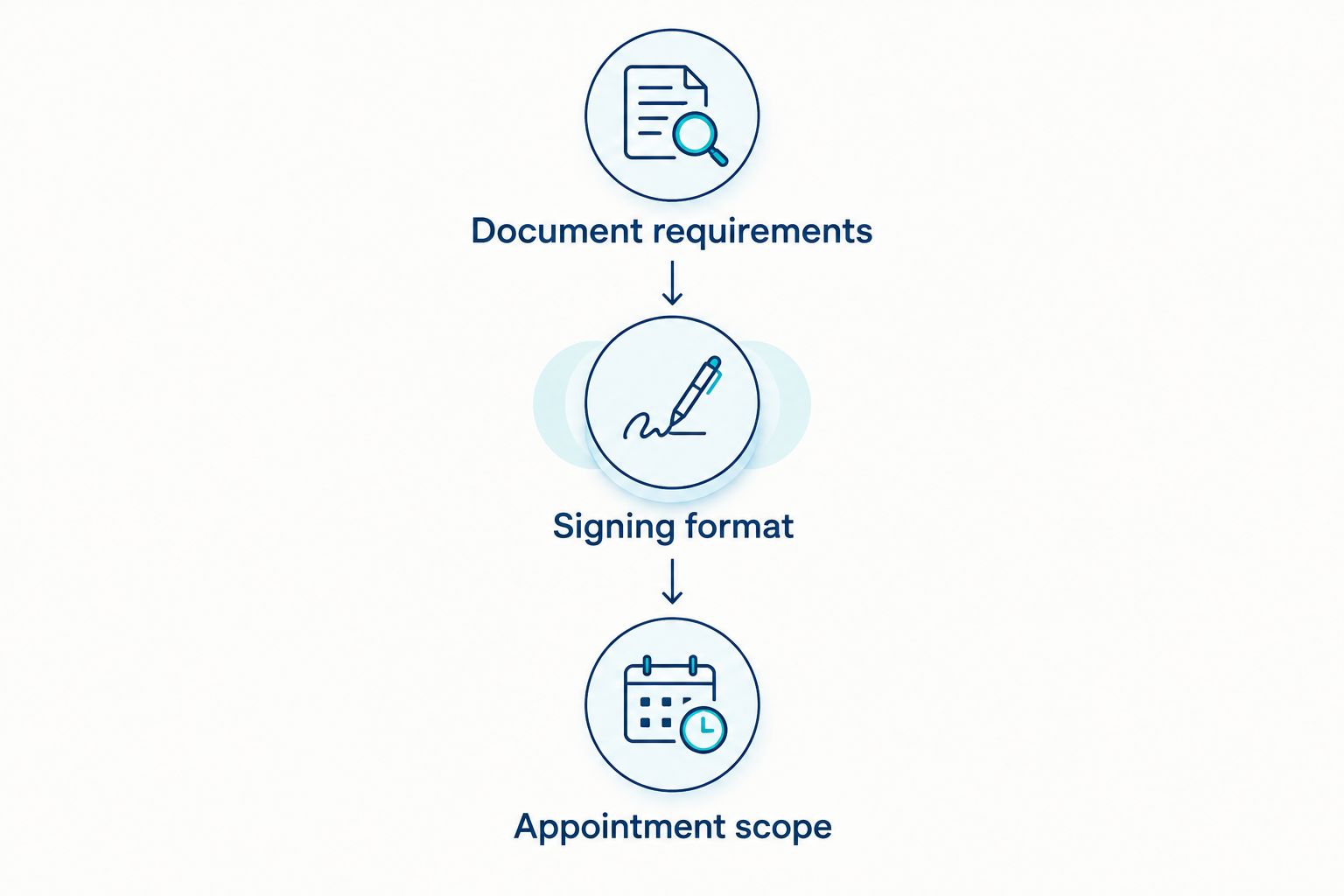
Use these 3 checks before committing to a 2026 appointment:
- Document requirements: Ask the recipient about the notarial act, original format, witnesses, and any authentication needed afterward.
- Signing format: Choose an office visit, mobile appointment, or eligible remote session based on those instructions and the signer’s circumstances.
- Appointment scope: Confirm the address or online process, identification, participants, document handling, and responsibilities after signing.
Keep signing and delivery as 2 separate steps in your plan. If the recipient needs the completed document by a deadline, establish how it must be delivered rather than treating the appointment itself as completion.
For coordinated support, send a concise request describing what the recipient requires. Include the signing city, whether the document is paper or electronic, and whether it will be used outside the United States. Share sensitive documents only through a method agreed with the provider.
Confirm your document service
Describe your document, signing location, and recipient requirements before arranging service.
Which notary service should you choose?
Choose a local in-person notary for a prepared paper document when you can travel. Choose mobile service when the signer needs a visit, or remote online notarization when the document and recipient permit it.
Thecruznetwork is best suited to Miami-Dade notary and document coordination. For Fort Lauderdale, confirm the proposed service arrangement before booking. That distinction keeps a useful regional option from becoming an assumption about local coverage.
FAQ
What's the best notary option in Fort Lauderdale in 2026?
A local in-person notary is the default for a prepared paper document when you can travel. Choose mobile service for a visit to your location, or remote online notarization when the document qualifies and the recipient accepts it.
Can a mobile notary come to my Fort Lauderdale home?
A mobile notary can visit a home when the provider confirms coverage of that address. Confirm identification, witnesses, access instructions, and the document requirements before the visit.
Is online notarization legal in Florida?
Florida permits remote online notarization under Chapter 117, Part II, of the Florida Statutes. The session must meet the applicable requirements; an ordinary video call is not a substitute.
Does Thecruznetwork provide notary services in Fort Lauderdale?
Thecruznetwork is Miami-Dade based and offers mobile and remote online notary services. Confirm the arrangement for your Fort Lauderdale request before booking rather than assuming mobile coverage.
Should I sign my document before meeting the notary?
Ask before signing because the required procedure depends on the notarial act. A jurat requires signing in the notary's presence and an oath or affirmation; an acknowledgment follows a different procedure.
Does notarization include witnesses?
Notarization does not automatically include supplying witnesses. Confirm whether your document requires witnesses and who will arrange them before the appointment.
Do I need an apostille after notarization?
An apostille is not required merely because a document is notarized. The destination country, document type, and receiving organization's instructions determine the appropriate authentication route.
One last thing
A notarized signature does not establish that the document’s contents are true or legally sufficient. Notarization serves a defined function, such as taking an acknowledgment or administering an oath; it does not replace advice about what you should sign.
Before your 2026 appointment, ask the recipient one practical question: “What would cause you to reject this document?” Resolve that answer before arranging the signing.