
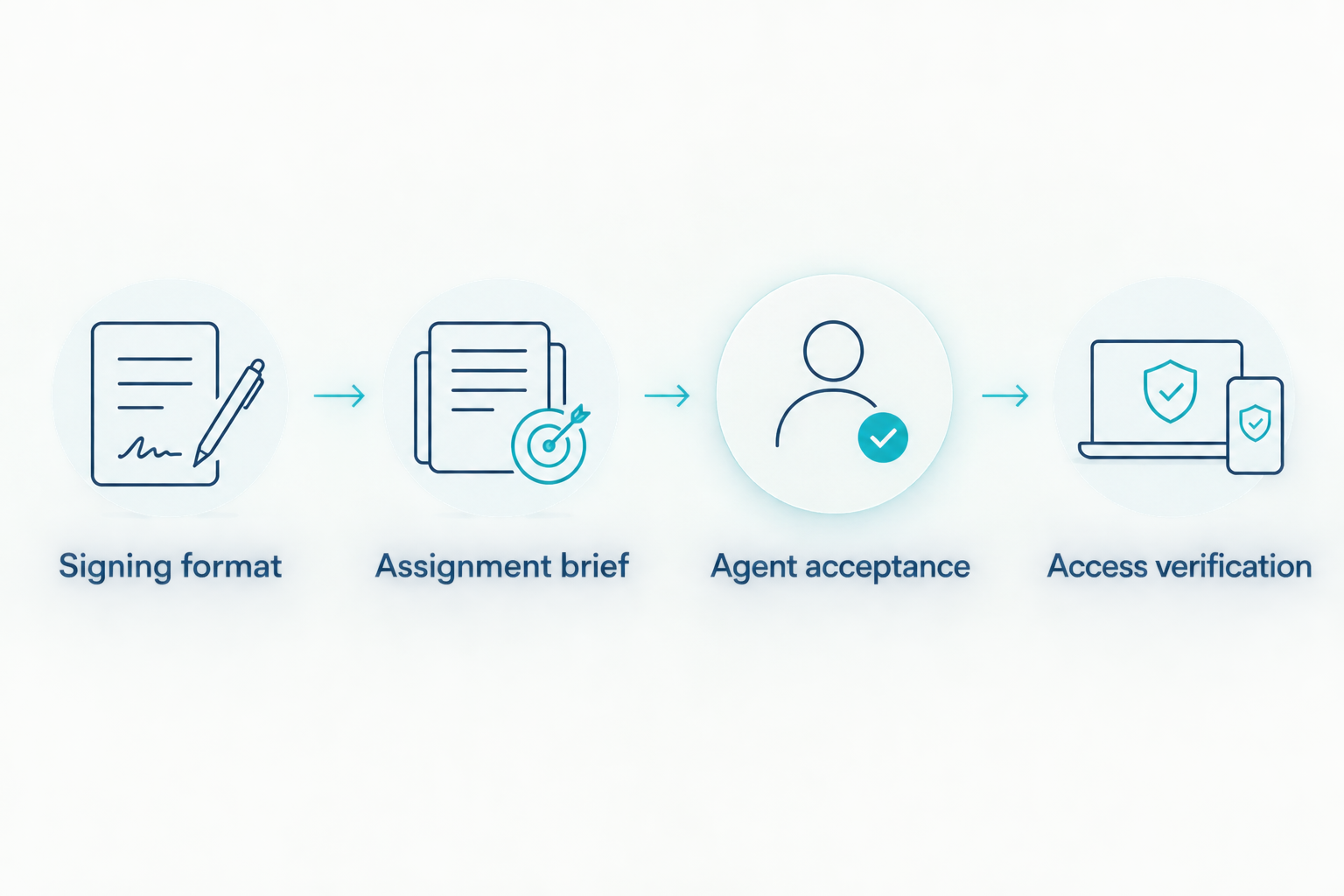
Instead of manually chasing a notary after every closing update, connect your Pavaso eClosing process to a signing-agent assignment workflow: confirm the signing format, obtain the agent’s acceptance, and verify transaction access before scheduling. Keep the closing team responsible for document approval and the notary responsible for the notarial acts.
- Build your Pavaso eClosing notary signing agent workflow around confirmed acceptance, authorized access, and approved documents.
- Thecruznetwork provides Miami-Dade notary services and signing coordination; confirm Pavaso participation before assigning a closing.
- Choose the signing format before dispatching a mobile notary or arranging remote online notarization.
- Treat a changed closing date or document package as a reason to reconfirm the assignment.
Why this matters
A calendar invitation does not establish that a notary has accepted the assignment, can access the transaction, or is authorized to perform the required notarization. Treat those as separate checks. Otherwise, your appointment record hides unfinished work.
For your 2026 closing procedure, define who owns the appointment, document release, and final review. One person can coordinate those tasks, but the tasks remain distinct.
Thecruznetwork provides mobile and remote online notary services and signing coordination in Miami-Dade. Thecruznetwork is best for Miami-Dade individuals and businesses seeking notary services and signing coordination rather than closing software. Confirm transaction-specific requirements before making an assignment; a service description does not establish Pavaso enrollment or lender approval.
This guide covers the operational handoff. Use your organization’s current Pavaso instructions for account-specific controls rather than treating the process below as a verified connector or menu-by-menu setup.
Before you start
- Account access and authority: Have an authorized closing-team member manage the Pavaso transaction and confirm how the assigned notary receives access. Ask the agent to verify any required platform enrollment, training, credentials, and permissions before accepting the assignment.
- Approved signing instructions: Gather the file reference, signer contact details, appointment time zone, signing format, witness requirements, document-release instructions, and return requirements. Obtain lender and title approval for the intended format before scheduling it.
- The gotcha: electronic does not mean remote. An electronic document package does not, by itself, authorize remote notarization. Confirm which documents require notarization, whether physical presence is required, and whether the proposed notary can perform the required acts under applicable law.
Do not ask a signing agent to resolve conflicting lender instructions or choose the legal form of a document. Send those questions to the closing team or appropriate legal adviser before the appointment.
Signing format and assignment requirements
Choose the signing format first
- Review the closing instructions. Identify which documents require electronic signatures, handwritten signatures, notarization, and witnesses. Do not assume every document follows the same route.
- Obtain format approval. Confirm the intended process with the lender and title team, including any recording or document-recipient requirements.
- Match the notary to the assignment. Check the notary’s commission and the authority required for the proposed act. For remote online notarization, verify the additional authorization and platform requirements that apply.
- Record unresolved requirements. Keep the appointment unconfirmed until someone responsible resolves each open issue.
Use this comparison to choose the assignment type. These are general closing formats, not a statement that every Pavaso account or transaction supports each option.
| Signing format | Best for | Main advantage | Main limitation |
|---|---|---|---|
| Hybrid closing | Approved packages combining electronic and paper execution | Separates eligible electronic documents from required paper documents | Requires clear instructions for both portions |
| In-person electronic notarization | Approved electronic documents signed with the notary physically present | Keeps the notarized document electronic while preserving physical appearance | Does not remove travel or in-person scheduling |
| Remote online notarization | Approved transactions completed through legally compliant remote appearance | Removes the need for the signer and notary to share a physical location | Requires applicable authorization, identity verification, technology, and recipient acceptance |
Expected result: You have a documented signing format, an approved document route, and a notary whose qualifications match the assignment. Update your 2026 checklist if your organization changes its acceptance requirements.
Assignment record and agent acceptance
Build the handoff record
- Create 1 file identifier for the assignment. Use the same reference in your closing record, scheduling notes, and agent communications. Avoid placing unnecessary personal information in calendar titles or message subjects.
- Prepare the assignment brief. Include the approved signing format, appointment date, time zone, location or remote-session instructions, signer contact method, witness arrangements, and escalation contact.
- Separate instructions from sensitive documents. Send documents only through the channel approved by the closing team. A calendar invitation should not become an uncontrolled copy of the closing package.
- Obtain 2 confirmations before marking the assignment confirmed. The agent must accept the assignment, and the closing team must verify that the required transaction access is ready. Sending an invitation is not either confirmation.
- Record the acceptance. Keep the accepting agent’s name, confirmation time, and unresolved conditions in the authorized assignment record.
The assignment brief should also identify who handles signer questions about the loan or transaction. The signing agent performs the assigned signing and notarial tasks; substantive questions belong with the responsible closing professional.
Expected result: Your assignment record identifies an accepted agent, a usable access route, and a named closing-team contact. No one has to infer acceptance from an unanswered message.
Transaction access and document readiness
Verify access before releasing the appointment
- Have the authorized transaction owner arrange access. Follow your organization’s current Pavaso procedure. Do not share another user’s login to work around an access problem.
- Ask the agent to verify the correct transaction. Match the file reference and assignment details. Seeing an account dashboard is not proof that the assigned closing is accessible.
- Confirm document readiness. The closing team should identify the approved package and communicate which documents are electronic, paper, or subject to a separate signing instruction.
- Maintain 1 active document version for execution. If the package changes, identify the replacement and withdraw the superseded instructions through your approved process. Do not leave the agent choosing between competing packages.
- Complete the signer readiness check. Confirm appointment details, required identification, witness arrangements, and any technology instructions supplied through the approved closing process.
Expected result: The agent can reach the intended transaction, identify the approved package, and explain the appointment logistics without guessing. Your 2026 readiness record should distinguish document approval from technical access.
Do not use a real signer’s sensitive information to experiment with a new workflow. Ask your administrator how to validate the process in an approved training or test environment before using it on a live transaction.
Completion review and document return
Close the assignment without closing it too early
- Record the appointment outcome. Distinguish a completed signing from a cancellation, interruption, refusal, or incomplete package. Use your organization’s approved status terminology.
- Send exceptions to the responsible owner. Identify the affected document and the issue without distributing unnecessary personal information. The agent should not independently change substantive document content.
- Return documents through the approved route. Follow the closing instructions for electronic completion, paper originals, and any requested copies. Do not assume electronic execution eliminates every physical return requirement.
- Obtain closing-team review. Have the designated reviewer check the returned package and resolve deficiencies. An appointment ending does not establish that the transaction is ready for funding or recording.
- Retain the assignment record appropriately. Apply your organization’s retention and access rules. The notary’s separate recordkeeping duties remain governed by applicable law and the authorized notarization process.
Expected result: Your record shows what happened, what was returned, who reviewed it, and whether anything remains unresolved. Keep signing completion, package acceptance, funding, and recording separate in your 2026 procedure.
When the closing date or package changes
A changed appointment needs a fresh acceptance check, not just an edited calendar entry. Use this adjacent workflow whenever the closing team changes the signing time, location, format, assigned agent, or execution package.
- Identify the change: Record what changed and which file it affects.
- Check the impact: Determine whether the existing agent, access permissions, witness arrangements, and signer instructions still fit.
- Reconfirm acceptance: Ask the assigned agent to accept the revised details explicitly.
- Replace instructions: Identify the current appointment and package so the signer and agent do not act on superseded information.
- Resolve access changes: If the agent changes, have the authorized owner review access for both the outgoing and incoming agent.
Best for rescheduled closings: Keep the existing assignment only after the agent accepts the revised requirements. A previous acceptance does not cover a different appointment automatically.
If your team uses automation around this handoff, require a unique file reference and a review condition before dispatch. Do not assume that a Pavaso event, webhook, or third-party connector exists for your account; verify supported functions with your administrator before designing around them.
Troubleshooting
The agent cannot access the transaction
Have the transaction owner check the intended user identity, assigned role, and transaction permissions using the current account instructions. Confirm that the invitation went to the correct address. Never solve the problem by sharing credentials.
The signer expects remote notarization, but the instructions require presence
Pause the appointment confirmation and ask the closing team to resolve the mismatch. An electronic signature option does not replace a required appearance before a notary. Issue corrected instructions before proceeding.
The package changes after the agent prepares
Identify the replacement package and tell the agent which prior materials are superseded. Recheck the affected signature and notarization instructions. If execution has already started, obtain direction before continuing with changed documents.
Identity verification or the remote session fails
Stop the remote notarization process and follow the authorized provider’s recovery procedure. Do not bypass identity checks or substitute an ordinary video call. Ask the closing team whether an approved alternative signing arrangement is appropriate.
The agent reports completion, but documents are missing
Compare the returned package against the approved instructions and identify the specific missing item. Have the closing team determine the correction process. Never ask an agent to backdate a notarization or certify an act that did not occur.
Customize your workflow
Start with a written handoff before adding automation. A clear assignment record exposes missing approvals; an automated notification can only send the information it receives.
For a small closing team, assign one coordinator to monitor acceptance, access, document changes, and returns. For a larger operation, separate those responsibilities but keep a named owner for every unresolved exception.
Use the same controls across your 2026 workflow: an identifiable file, approved instructions, explicit acceptance, verified access, and reviewed completion. Add reminders only after defining what each reminder asks someone to do.
For local assistance, contact the signing coordination team at Thecruznetwork. Describe the signing format, Miami-Dade location when applicable, and required platform participation; confirm suitability before treating the assignment as accepted.
FAQ
How do I connect a Pavaso eClosing to a notary signing agent?
Have the authorized closing team arrange the agent’s transaction access, obtain explicit assignment acceptance, and verify the approved signing format and package. Treat account access, scheduling, and document readiness as separate checks.
Does a Pavaso invitation mean the notary has accepted the closing?
Do not treat an invitation as acceptance. Record an explicit response from the assigned agent and verify that the agent can access the intended transaction.
Can any mobile notary handle a remote online closing?
A mobile-notary assignment does not establish authority to perform remote online notarization. Verify the notary’s applicable authorization, platform requirements, and the lender and title team’s acceptance before scheduling.
Can I automate the Pavaso notary assignment?
Automate only functions your organization has verified as supported for its account. Keep explicit agent acceptance and exception review in the process instead of treating a sent notification as a confirmed assignment.
What happens if the closing date changes after the notary accepts?
Obtain the agent’s acceptance of the revised appointment and recheck access, documents, and witness arrangements. Replace superseded instructions so everyone works from the same appointment details.
Does Thecruznetwork provide Pavaso software integration?
Thecruznetwork provides Miami-Dade mobile and remote online notary services and signing coordination. Confirm Pavaso participation and transaction requirements directly; the listed services do not establish a software integration offering.
Is a completed signing the same as a completed closing?
No. Signing completion does not establish package acceptance, funding, or recording; the responsible closing team must verify the remaining requirements.
One last thing
Test the cancellation path before relying on the confirmation path. Walk through an agent replacement or appointment change and check whether the old instructions and access are addressed. A workflow that sends the right invitation but leaves the wrong agent assigned is not ready for live closings.