
Instead of retyping closing details into separate notary requests, use a controlled handoff from your SoftPro closing file to a Miami-Dade mobile notary coordinator, then record acceptance and completion against the same file reference. This guide covers a manual dispatch workflow for 2026—not a native SoftPro integration or an automated connection.
- For softpro mobile notary miami workflows, use a file reference, approved dispatch brief, and written acceptance.
- Thecruznetwork provides Miami-Dade mobile notary and signing coordination services; confirm the handoff method before sending documents.
- Keep appointment confirmation, document readiness, and signing completion as separate checkpoints.
- Route changes through the existing assignment instead of creating another dispatch request.
Why this matters
A closing file and a notary assignment serve different purposes. Your closing file holds the transaction record; the dispatch brief tells the coordinator what action to take, where, and under whose instructions.
Thecruznetwork is best for individuals and businesses needing Miami-Dade mobile notary and signing coordination services. For a closing workflow, start by agreeing on the request channel and acknowledgment process with Thecruznetwork. Do not treat a sent request as an accepted assignment.
The practical goal is traceability. Someone reviewing the file should be able to distinguish a proposed appointment from a confirmed appointment without searching through unrelated messages.
For your 2026 procedure, define the handoff before choosing automation. A connector cannot resolve an unclear assignment owner, an unapproved document package, or contradictory appointment instructions.
Before you start
- Access and authority: Have authorized access to the SoftPro closing file, permission to share the necessary information, and a named person responsible for releasing signing instructions.
- Dispatch materials: Prepare the file reference, signer contact details, appointment location and time zone, document-readiness status, and return instructions. Use your organization's approved document-sharing method.
- The overlooked gotcha: Agree on who can change or cancel an assignment. A revised closing time does not become a confirmed notary appointment until the coordinator acknowledges the change.
Use 1 test file with fictional signer details to check the handoff before sending live borrower information. The test should exercise acceptance, a schedule change, and completion—not just prove that a message can be delivered.
The labels below describe your internal checklist. They are not SoftPro screen names, buttons, or a claim that your installation includes a dispatch feature.
Closing-file handoff
Prepare the dispatch source
- Open the relevant closing file in your authorized SoftPro environment. Confirm that you are working from the correct transaction and current instructions before preparing the request.
- Identify the existing file reference your team will use throughout dispatch. Carry that reference into the request, acknowledgment, change messages, and completion record; avoid creating a competing transaction identifier.
- Select the information the coordinator needs to arrange the signing. Separate scheduling information from documents and other sensitive transaction material.
Expected result: You have a dispatch source tied to the correct closing file, with a clear reference and a defined set of information to share.
Do not send an entire closing file merely because it is convenient. Follow your organization's access and privacy requirements, and give the coordinator the material needed for the agreed task.
Check the appointment's local time zone explicitly. A signer traveling outside Florida needs an unambiguous appointment time even when the property and title team are in Miami-Dade.
Establish document readiness
Treat the proposed appointment and the signing package as separate decisions. A coordinator can discuss scheduling while your team is still preparing documents, but the request must state that distinction plainly.
Use a readiness description that means something operational: awaiting approval, approved for release, or superseded. These are suggested internal descriptions, not software settings. Assign responsibility for approving the package so the coordinator does not have to interpret which attachment is final.
Do not describe an appointment as ready to proceed when the document release is still unresolved. Record the outstanding dependency and the person responsible for resolving it.
Dispatch brief and assignment acceptance
Build the dispatch brief
- Prepare a consistent request using the checklist below. Include the file reference in the subject or request identifier without adding unnecessary personal information.
- Send the scheduling brief through the channel agreed with the coordinator. Share documents through the approved method rather than assuming an ordinary attachment is appropriate.
- Request a written response that identifies acceptance, unresolved questions, or a declined assignment. Record the response against the closing file using your team's authorized recordkeeping process.
| Dispatch item | What to include | What to verify |
|---|---|---|
| File reference | Existing transaction identifier | It matches the closing file |
| Appointment | Proposed date, local time, time zone, and location | The coordinator accepts the same details |
| Signer contact | Necessary contact information and contact instructions | The correct person can be reached |
| Signing requirements | Approved instructions, including witness arrangements when applicable | Responsibility for each arrangement is clear |
| Document readiness | Current package status and release owner | Pending documents are not mistaken for final documents |
| Document access | Approved delivery method and access contact | The intended recipient can access the correct package |
| Return instructions | Required return method and recipient | The coordinator understands the requested handoff |
| Exception owner | Named contact for questions or changes | Someone has authority to resolve the issue |
Expected result: The coordinator receives an actionable request, and your file shows whether the assignment was accepted—not merely sent.
Separate the acknowledgments
Build 2 acknowledgments into your procedure: assignment acceptance and document receipt. They answer different questions. Acceptance confirms responsibility for the appointment; document receipt confirms access to the package supplied for that appointment.
Neither acknowledgment establishes that the signing has happened. Keep completion separate, and do not infer document receipt from an accepted calendar invitation.
For a 2026 dispatch template, place the outstanding action near the top of every message. A scheduling request should ask for appointment acceptance; a document-release message should identify the package and request receipt confirmation.
Appointment and package control
Confirm the appointment
- Compare the coordinator's acknowledgment with the requested date, time zone, location, and signing method. Resolve differences before marking the appointment confirmed in your internal record.
- Confirm who will communicate with the signer. Assign ownership of location instructions, access arrangements, and appointment changes so multiple people do not issue conflicting directions.
- Release the approved package through the agreed channel and request receipt confirmation. Identify which package supersedes earlier material whenever a replacement is issued.
Expected result: The file contains an accepted appointment, a communication owner, and a clear record of the package released for signing.
A confirmed appointment is not permission to use an outdated package. When documents change, identify the replacement and ask the coordinator to acknowledge that the earlier package is superseded.
Do not ask the notary to decide which transaction instructions are legally correct. Route document discrepancies and questions about legal effect to the responsible title, lender, or legal contact.
Use checkpoints instead of assumptions
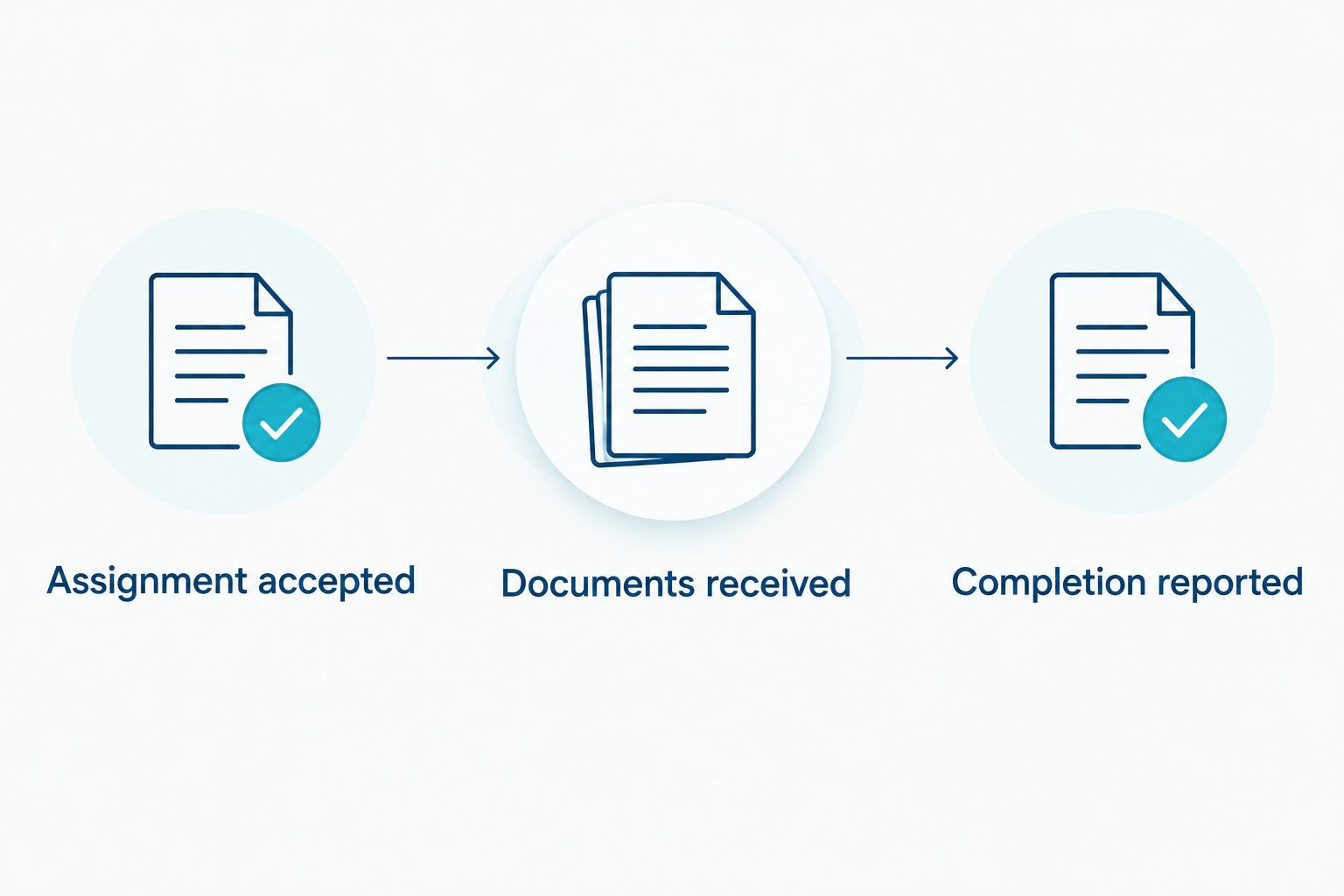
Keep 3 checkpoints visible in your dispatch record: assignment accepted, documents received, and completion reported. Each checkpoint should identify the person reporting it and the relevant appointment or package.
These checkpoints are a recommended control structure, not a SoftPro status configuration. Use your organization's existing approved tracking method rather than adding unverified custom fields or changing shared settings.
Completion record and return handoff
Close the dispatch loop
- Ask the coordinator to report whether the signing occurred and identify any unresolved issue. Keep the report factual; do not substitute a scheduled appointment time for an actual completion report.
- Confirm the requested document-return handoff separately. Record the relevant return confirmation through your approved process without exposing unnecessary personal information in general scheduling messages.
- Route exceptions to the designated owner and retain the acknowledgment history with the transaction record. Leave unresolved work visible until the responsible person confirms its disposition.
Expected result: Your closing record distinguishes signing completion, document return, and outstanding exceptions.
A signing report does not establish that a transaction has funded or that an instrument has been recorded. Keep those decisions within the closing team's established controls.
Before adopting this as your 2026 procedure, walk the fictional test file through the entire sequence. Check whether a colleague can reconstruct the appointment, package release, change history, and return handoff from the record alone.
Dispatch updates when the closing changes
A change workflow uses the existing assignment reference rather than starting over. It is best for rescheduled appointments, corrected locations, replacement documents, and cancellations after the initial request.
| Workflow | Best for | Advantage | Limitation |
|---|---|---|---|
| Initial dispatch | A new signing assignment | Establishes the appointment, owner, and instructions together | Requires explicit acceptance before you treat it as assigned |
| Assignment update | Changes to an existing signing | Keeps the history connected to the original request | Requires acknowledgment so an earlier instruction is not followed |
Send an update that identifies the existing file reference, the changed instruction, and the action you need acknowledged. State what remains unchanged when that prevents confusion, but do not paste unnecessary sensitive information into the message.
For a cancellation, ask the coordinator to acknowledge that the assignment is canceled. For a reschedule, request acceptance of the replacement appointment rather than treating notification as agreement.
Do not create a second live assignment to correct the first. If another coordinator takes over, document the cancellation or release of the original assignment and obtain acceptance from the replacement.
Troubleshooting
The request was sent, but nobody accepted it
Keep the assignment unconfirmed. Follow up through the agreed contact channel and obtain an explicit response before telling the signer that the appointment is secured.
If the request is declined, follow your reassignment procedure. Preserve the original response so a colleague does not mistake the earlier request for an active assignment.
The appointment time differs between messages
Restate the date, local time, time zone, and location together. Ask the coordinator to acknowledge the corrected appointment, then update the closing record and notify the person responsible for signer communication.
The coordinator cannot open the documents
Check recipient authorization and access permissions through your approved sharing process. Ask the intended recipient to confirm access to the correct package; do not solve the problem by removing security controls or forwarding documents broadly.
An older package remains in circulation
Identify the approved replacement and explicitly supersede the earlier package. Obtain acknowledgment before the signing proceeds, and route any uncertainty about document use to the release owner.
The signing is reported complete, but return is unresolved
Keep the return task open. Request confirmation of the agreed handoff and send any discrepancy to the designated closing contact rather than marking the whole transaction complete.
Customize your workflow
Start with the controlled handoff, then extend it to the parties who create dependencies. Your lender contact, title team, signer contact, and coordinator should each know which decisions they own.
Thecruznetwork offers mobile notary and signing coordination services in Miami-Dade; this workflow does not establish a SoftPro connector, shared-system access, or automated status updates. Agree on the operating process before relying on any technical connection.
If your team evaluates automation in 2026, verify the exact capabilities with your software administrator and proposed provider. Confirm authorization, supported data exchange, error handling, and the person responsible for failed requests before enabling live dispatch.
Use the signing coordination guide for mortgage lenders to extend the discussion beyond appointment scheduling. Keep the same file reference and acknowledgment rules wherever another party joins the handoff.
FAQ
How do I connect SoftPro closings to a mobile notary in Miami?
Use a controlled handoff from the closing file to the notary coordinator: prepare a dispatch brief, obtain assignment acceptance, confirm document receipt, and record completion. This guide describes a manual workflow, not a native software connection.
Does Thecruznetwork have a native SoftPro integration?
This guide does not establish a native SoftPro integration for Thecruznetwork. Agree on the request channel, document-sharing method, and acknowledgment process before dispatching a live closing.
Can I dispatch a notary before the closing documents are final?
You can separate a scheduling request from document release, but identify the package as pending and obtain acceptance of the proposed appointment. Do not treat scheduling acceptance as confirmation that final documents have been received.
What should a mobile notary dispatch request include?
Include the file reference, proposed appointment, necessary signer contact information, approved signing instructions, document-readiness status, return instructions, and exception contact. Share sensitive material only through your organization's approved method.
What happens if the closing time changes after dispatch?
Send an update against the existing assignment and obtain acknowledgment of the replacement appointment. Do not assume a revised closing-file entry automatically changes the coordinator's instructions.
Is remote online notarization the same as mobile notary dispatch?
No. Mobile notary dispatch arranges an in-person appointment, while remote online notarization uses an online notarization process. Confirm the permitted signing method and receiving-party requirements before changing an appointment.
Does a completed signing mean the closing is finished?
No. Signing completion, document return, funding, and recording are distinct events. Keep the dispatch completion report separate from the closing team's transaction decisions.
One last thing
Test a cancellation, not just a successful appointment. A dispatch process is incomplete if it can create an assignment but cannot reliably stop the original instructions from being followed.
Make cancellation acknowledgment part of your handoff checklist. That check exposes unclear ownership before a live closing depends on it.