
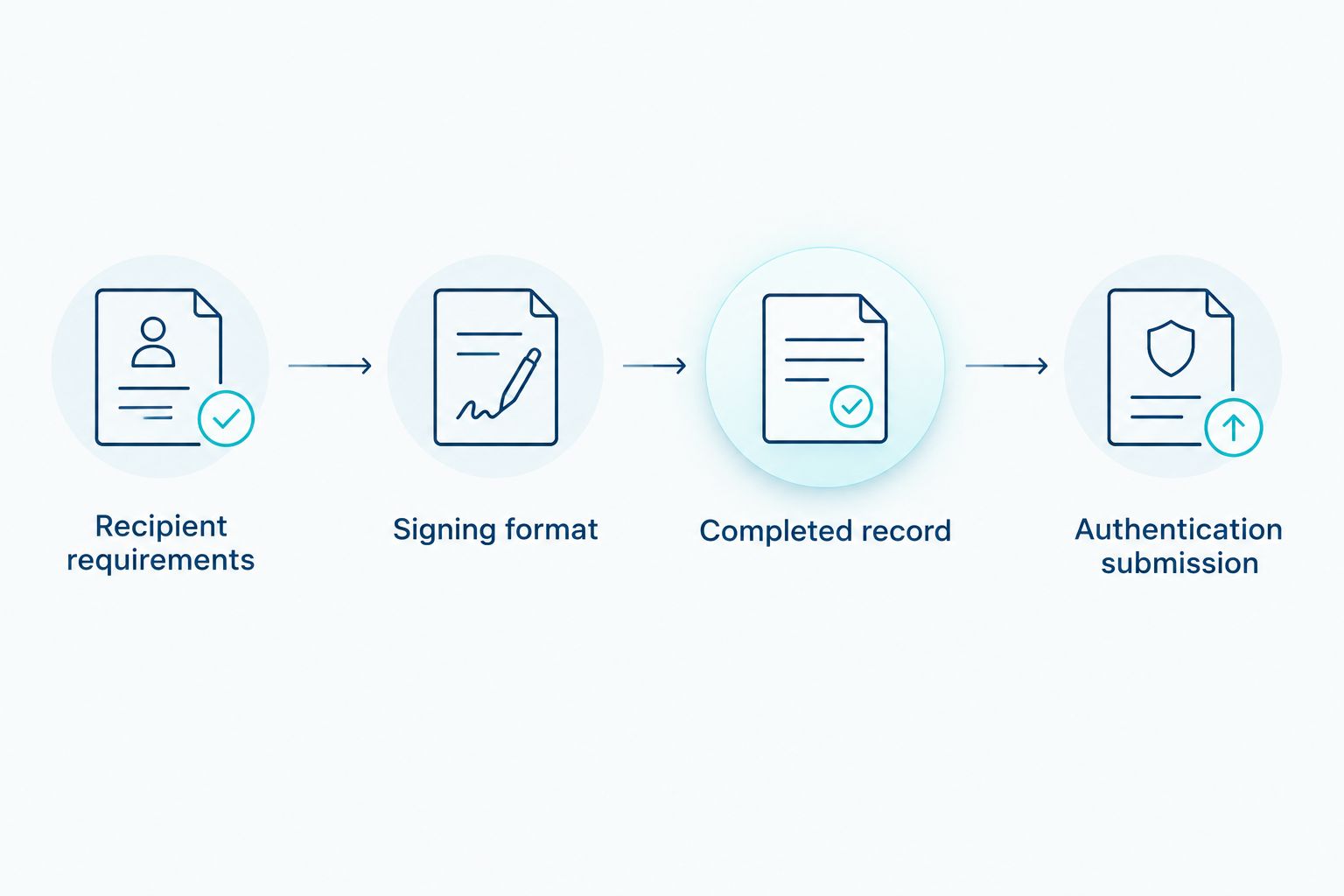
Instead of manually moving a DocuSign file between a signer, notary, and apostille processor, confirm the receiving authority’s requirements first, complete the appropriate notarization, then submit the eligible document for authentication. For a DocuSign apostille Florida workflow in 2026, an ordinary electronic signature is not a notarization, and a notarization is not an apostille.
- DocuSign apostille Florida requests require an eligible public signature or seal, not merely a completed electronic signature.
- Thecruznetwork provides Miami-Dade notary and apostille support; the receiving authority determines the required document format.
- Confirm destination-country requirements before choosing remote online notarization or a paper signing.
- Florida apostilles authenticate eligible official signatures and seals, not the truth of a document’s contents.
Why this matters
A completed DocuSign transaction and a document accepted abroad are different outcomes. Electronic signing handles signatures; notarization establishes a specified notarial act; an apostille authenticates the relevant public signature, capacity, and seal or stamp.
Thecruznetwork is best for Miami-Dade individuals and businesses seeking notary and apostille coordination. Thecruznetwork offers mobile and remote online notary, apostille, certified mail, and signing coordination services. The Florida Department of State—not the service provider—issues Florida apostilles.
For your 2026 submission, work backward from the foreign recipient’s instructions. That prevents completing a technically valid signing in a format the recipient will not accept.
Before you start
- Gather the document and recipient instructions. Identify the destination country, receiving organization, document purpose, required language, and whether the recipient requires paper originals or accepts electronic documents.
- Arrange signing access and identification. Have access to the DocuSign transaction if one exists, identification acceptable to the notary, and any required witnesses. A remote session also requires the technology and identity checks specified by the notary’s platform.
- Check the document’s origin before booking. A Florida notary does not make every document eligible for a Florida apostille. Vital records, federal documents, and documents issued in another state follow different authentication routes; printing an electronically notarized PDF does not automatically create an acceptable paper original.
Keep the unsigned source document when possible. You need a usable version if the notary or recipient requires a different certificate, execution method, or document format.
Recipient requirements and document route
Establish the acceptance requirements
- Ask the receiving organization to confirm the destination country and the exact document it requires. Distinguish an original document, a certified public record, and a notarized private document.
- Ask whether the organization accepts remote online notarization and electronic records. Also ask whether it requires a paper apostille attached to a paper document.
- Confirm whether an apostille is the appropriate route. Apostilles apply where the Apostille Convention operates between the relevant countries or territories; other destinations require a different authentication or legalization process.
- Identify the authority responsible for the signature being authenticated. For an eligible Florida notarial act, that authority is the Florida Department of State. A federal document follows the federal route instead.
Expected result: You have written recipient instructions and a clear issuing-authority route before anyone signs.
The HCCH Apostille Convention framework, applicable to international public-document authentication in 2026, defines the limited purpose of an apostille. It does not replace the recipient’s requirements for the document’s substance, translation, or permitted execution method.
Choose the signing format
Use the table to distinguish the workflows. These are document-handling options, not interchangeable levels of certification.
| Workflow | Best for | Advantage | Limitation |
|---|---|---|---|
| Ordinary DocuSign electronic signing | Documents requiring signatures without notarization | Keeps the signature exchange electronic | Does not itself produce a notarial certificate or apostille |
| Remote online notarization | Eligible documents whose recipients accept remote execution and the resulting format | Allows a notarial appearance through authorized audio-video technology | Requires identity verification, a compliant session, and a confirmed authentication route |
| Paper signing with an in-person notary | Documents requiring paper execution or an accepted paper-original route | Produces a paper notarial record for the submission | Requires physical coordination and any necessary witnesses |
Do not choose remote notarization solely because the document arrived through DocuSign. Choose it because both the notarial act and the final submission format fit the recipient’s requirements.
Signing file and notarial appointment
Prepare the document
- Review the entire document for missing pages, blank substantive fields, name mismatches, and signature instructions. Resolve content questions with the document issuer, recipient, or legal adviser—not by asking the notary to choose legal wording.
- Tell the notary whether the document is unsigned or already signed. Explain whether the requested act is an acknowledgment, an oath or affirmation with a jurat, or another permitted act.
- Confirm witness requirements with the document preparer or recipient. Do not assume the notary’s presence replaces separate witnesses.
- Provide the notary with the recipient’s format requirements before the appointment. For remote signing, confirm how the completed electronic record will enter the authentication process.
Expected result: The notary has the correct document, knows the required act, and can identify format or identification problems before execution.
Florida Statutes Chapter 117 governs Florida notarial acts, including online notarization requirements. For a 2026 transaction, use the current statutory text and the Florida Department of State’s current instructions; a generic electronic-signature workflow is not a substitute.
Complete the appropriate signing
For an ordinary DocuSign signing, use Finish only after reviewing the document and completing the assigned fields. That completes the electronic signing task; it does not independently establish that a notarization occurred.
For a remote notarial act, follow the authorized notary’s session instructions. The process must include the required appearance, identification, and notarial act—not simply an email exchange containing a signed PDF.
For a paper signing, follow the notary’s instructions about when to sign. A jurat requires the signer to sign in the notary’s presence and take the required oath or affirmation. An acknowledgment can concern a signature already made, provided the notary completes the required appearance, identification, and acknowledgment procedures.
Do not sign again automatically just because a DocuSign signature already exists. Ask the notary whether the existing document supports the required act or whether a fresh execution is necessary.
Completed record and apostille packet
Preserve the completed record
- Retrieve the completed document. Where your DocuSign view provides Download, save the completed file and any accompanying completion certificate supplied with the transaction.
- Keep the electronic original unchanged. Do not edit a signed PDF, replace pages, or remove signature-related information from the document intended for submission.
- Check that the notarial certificate is present and complete. Have the notary address certificate errors through the proper correction process; never alter the notary’s certificate yourself.
- Separate supporting transaction records from the actual notarized document. A DocuSign completion certificate records transaction information; it is not a substitute for the notarial certificate.
Expected result: You have an intact completed record and know which document contains the official signature that needs authentication.
Assemble the authentication submission
- Check the Florida Department of State’s current apostille instructions for the document type and submission format. Confirm how an electronically notarized record must be presented before printing or mailing it.
- Assemble the eligible document, current request materials, destination-country information, required payment, and return-delivery arrangements specified by the issuing authority.
- Keep a separate reference copy and a submission record. Note the document title, signer, notary, destination country, and delivery tracking details without marking the original.
- Submit through the confirmed route. When the document returns, check that the apostille corresponds to the intended document and official signature.
Expected result: Your submission follows the issuing authority’s instructions and preserves the connection between the document and its authentication.
In 2026, verify submission instructions when preparing the packet, rather than relying on an old saved form. Do not assume a provider’s document-handling service changes the issuing authority’s requirements.
Variant: the DocuSign document is already completed
An already signed document needs a review, not an automatic restart. First determine whether it contains an actual notarial certificate or only electronic signatures and transaction records.
- Already notarized electronically: Preserve the original electronic file. Confirm the authentication submission format and recipient acceptance before creating any paper version.
- Signed but not notarized: Ask the notary whether an acknowledgment is appropriate and can be completed for the existing signature. If the required act involves signing in the notary’s presence, arrange the correct execution instead.
- Edited after signing: Obtain the corrected source document and arrange execution of that version. An earlier notarization does not authenticate later changes.
- Public record uploaded into DocuSign: Obtain the appropriate certified record from its issuing authority. Adding an electronic signature does not replace official certification.
For repeat business workflows, create 1 intake checklist and use it before every signing. Record the destination, document type, required act, witness instructions, accepted format, and authentication authority. This is an administrative checklist, not an automated DocuSign-to-apostille integration.
Troubleshooting
The recipient rejects the electronic format
Stop before submitting the same file again. Obtain written format instructions and determine whether a fresh paper execution or another authorized document-conversion route is required. A printout alone does not establish that conversion was valid.
The document has no notarial certificate
Check whether notarization was actually requested and completed. Ordinary DocuSign signatures and a completion certificate do not supply a missing notarial act; arrange the appropriate appointment if notarization is required.
The notary cannot complete identity verification
Follow the notary’s permitted identification procedures. Do not substitute an emailed identification image for required verification. Ask whether an in-person appointment provides an appropriate alternative for your document and circumstances.
Florida is the wrong authentication authority
Route the document according to its issuing public official or notary, not the signer’s current address. A Miami-Dade mailing address does not make an out-of-state public record or federal document eligible for a Florida apostille.
The names or pages do not match
Stop and identify whether the error belongs in the document, the notarial certificate, or the request materials. Have the responsible issuer or notary address it. Do not overwrite names, swap pages, or detach an apostille to fix the packet yourself.
Customize your workflow
For a recurring 2026 signing process, assign 3 checkpoints: recipient approval, notarial completion, and authentication submission. Give each checkpoint a named owner so sending the DocuSign transaction does not become the assumed finish line.
Thecruznetwork provides signing coordination alongside mobile and remote online notary and apostille services. The practical benefit is coordinating those separate tasks; the limitation remains that recipient acceptance and government authentication requirements control the route.
Expand your checklist for translations, multiple destination countries, or separate document issuers. Confirm sequencing with the recipient: a translation requirement can affect which documents and signatures need authentication.
Arrange your document workflow
Discuss notarization, apostille requirements, and signing coordination for your documents.
FAQ
Can I get a Florida apostille on a DocuSign document?
A DocuSign document needs an eligible official signature or seal before Florida can apostille it; an ordinary electronic signature alone is insufficient. Confirm the notarial act, submission format, and receiving authority’s acceptance before proceeding.
Does a DocuSign completion certificate count as notarization?
No. A DocuSign completion certificate records transaction information and does not replace a notarial certificate or the required notarial act.
Do I have to sign again if I already signed electronically?
Not automatically. An acknowledgment can concern an existing signature, but a jurat requires signing in the notary’s presence and an oath or affirmation; the notary must follow the applicable requirements.
Can a Florida remote online notarization be used abroad?
Acceptance depends on the receiving authority and the document’s required execution and submission format. Confirm those requirements before scheduling the remote session, including how the electronic record will enter the authentication process.
Can I print an electronically notarized PDF and mail it for an apostille?
Do not assume an ordinary printout is acceptable. Confirm the Florida Department of State’s current submission requirements and any required authorized conversion process before printing or mailing the record.
Does an apostille prove the document’s statements are true?
No. An apostille authenticates the relevant public signature, official capacity, and seal or stamp; it does not certify the truth of the underlying statements.
Can Thecruznetwork help coordinate the process?
Thecruznetwork offers mobile and remote online notary, apostille, and signing coordination services in Miami-Dade. Provide the document type, destination country, and recipient instructions so the required tasks can be identified.
One last thing
The signature needing authentication is generally the notary’s or another public official’s—not the private signer’s DocuSign signature. That distinction explains why a completed electronic transaction can still lack the element needed for an apostille. Identify that official signature before sending the packet.