
Instead of manually checking every notarized mailing, connect its USPS tracking number to a document record and enable postal status notifications. For certified mail tracking with a Miami notary in 2026, this workflow separates signing, mailing, and delivery so you can see what happened without treating notarization as proof of receipt.
- For certified mail tracking miami notary searches, connect the document record to USPS tracking and postal notifications.
- Thecruznetwork provides Miami-Dade notary and certified mail services; this guide describes a workflow you configure separately.
- Notarization, proof of mailing, and delivery evidence serve different purposes. Keep each record.
- USPS notifications report postal events; they do not automatically update your document management system.
Why this matters
A completed notarization does not mean an envelope entered the mail. A tracking number does not prove that a recipient received the documents inside it. Your workflow needs separate evidence for each handoff.
Thecruznetwork is best for Miami-Dade individuals and businesses seeking notary and certified mail support. Discuss your document handling requirements with Thecruznetwork before arranging the signing and mailing. Confirm who prepares the envelope, who deposits it, and who monitors exceptions.
For your 2026 workflow, use postal notifications to reduce repeated status checks—not to replace document review. The practical benefit is automatic notice of postal activity while one designated person remains responsible for the file.
Before you start
- Access and materials: Have the document instructions, recipient address, mailing materials, USPS tracking number when issued, and an email inbox accessible to the person monitoring delivery.
- A document record: Use your existing spreadsheet, case file, or document system. Assign a file reference and identify who handles signing, mailing, and delivery follow-up.
- The gotcha: Decide whether you need a return receipt before mailing. Certified Mail tracking and a return receipt are different services; tracking alone is not a substitute for a requested signature record.
Confirm the receiving party accepts the document format you intend to send. This matters when remote online notarization produces an electronic document but the recipient requests paper. Do not assume printing an electronically notarized file satisfies the recipient’s requirements.
Choose the monitoring arrangement
Both arrangements below use USPS tracking. They differ in who receives the updates and who must act on them.
| Arrangement | Best for | Advantage | Limitation |
|---|---|---|---|
| Individual notifications | A person managing their own document mailing | Updates reach the person waiting for the outcome | Follow-up depends on that person checking the inbox |
| Shared-inbox notifications | Businesses assigning document follow-up across staff | Postal messages remain accessible to the designated team | Someone still needs clear responsibility for each exception |
Choose the inbox according to responsibility, not convenience. A shared inbox without an assigned owner does not create accountability. An individual inbox also needs coverage when its owner is away.
Document record configuration
Create the file before the signing
- Create 1 mailing record per envelope in your existing system. These are suggested field names for your record, not buttons in a particular application.
- Add fields labeled File reference, Recipient, Mailing address, Notarization status, Tracking number, Postal status, and Follow-up owner.
- Add separate locations for Proof of mailing, Delivery evidence, and Exception notes. Keep the underlying documents in an access-controlled file rather than copying their contents into tracking notes.
- Record the recipient’s instructions for document format and delivery evidence. If the mailing has a legal deadline, have the responsible attorney or receiving organization confirm the applicable requirements.
- Assign the follow-up owner before handing the envelope to another person.
Expected result: You can identify the document matter, intended recipient, required evidence, and responsible person without opening the envelope or searching through messages.
Use a neutral file reference in notification-related notes. A tracking record needs to identify the matter internally; it does not need to repeat sensitive details about medical, financial, or family documents.
Keep your 2026 record template consistent across mobile and remote online notary appointments. The signing method changes the document preparation process, but it does not eliminate the need to identify the outgoing envelope and its recipient.
Postal handoff configuration
Match the envelope to the document record
- Confirm that the signing process is complete before preparing the final mailing. Check the document package against the recipient’s instructions without changing completed notarial certificates yourself.
- Verify the recipient name and address against the approved instructions. Resolve conflicting addresses before mailing.
- Copy the tracking number directly from the mailing label or receipt into Tracking number. Compare the saved number against the original before proceeding.
- Save the mailing receipt under Proof of mailing. Record the handoff details in your file without treating label preparation as confirmation of postal acceptance.
- Review USPS tracking for the mailing’s acceptance information. Keep notarization completion and postal acceptance as separate entries.
Expected result: The envelope has a tracking number tied to the correct file, and your record distinguishes a completed signing from an accepted mailing.
Use 2 checkpoints for the handoff: document completion and postal acceptance. These are workflow controls, not delivery guarantees. They prevent an envelope prepared for mailing from being recorded as already delivered to the postal service.
For a law office handling several matters, the certified mail for law firms guide provides a related workflow topic. Keep each envelope attached to its own matter even when several envelopes leave together.
Thecruznetwork offers certified mail and signing coordination services. Confirm the agreed handoff responsibilities directly; this guide does not establish automatic data sharing between the service and your internal records.
Tracking notification configuration
Enable updates for the mailing
- Open the official USPS Tracking service. Enter the saved tracking number and select Track.
- Confirm that the displayed tracking number matches your receipt. Review the postal events before associating the result with your document file.
- Open Text & Email Updates when that section is offered for the mailing. Follow the displayed enrollment instructions and use the email address assigned to follow-up.
- Select the notifications appropriate to the mailing from the choices USPS presents. Do not assume every mailing displays identical notification choices.
- Save a note in your record identifying the notification inbox and follow-up owner. Check that USPS messages are not being diverted into junk mail.
Expected result: USPS sends the selected postal updates to the designated inbox. Your document record still needs its own update process; enrolling in notifications does not create a connection to a spreadsheet or case-management system.
For the 2026 setup, distinguish automatic notification from automatic synchronization. Notification delivers a message. Synchronization writes information into another system, which requires a separately configured and tested connection.
Do not build an untested rule that marks a matter complete whenever an email contains the word delivered. Forwarded messages, quoted text, and multiple mailings in one thread can create incorrect matches. Require the tracking number to match the file before accepting any automated update.
Delivery record configuration
Close the postal task without closing the wrong matter
- Review the latest USPS tracking event when a notification arrives. Match its tracking number to Tracking number in the document record.
- Update Postal status with the event reported by USPS. Preserve the distinction between an attempted delivery, delivery, and a returned mailing.
- Save the delivery information relevant to your file. If you requested a return receipt, retain that evidence separately when received.
- Record unresolved issues in Exception notes and assign the next action to Follow-up owner.
- Close the postal task only after reviewing the evidence required for that mailing. Keep any separate legal, signing, or document-processing task open until its own requirements are satisfied.
Expected result: Your file shows the postal outcome and supporting evidence without implying that delivery proves the recipient approved, understood, or accepted the document’s contents.
Keep 3 evidence categories separate: the notarized document, proof of mailing, and delivery evidence. Each answers a different question. Combining them into a single completed checkbox hides the point where a problem occurred.
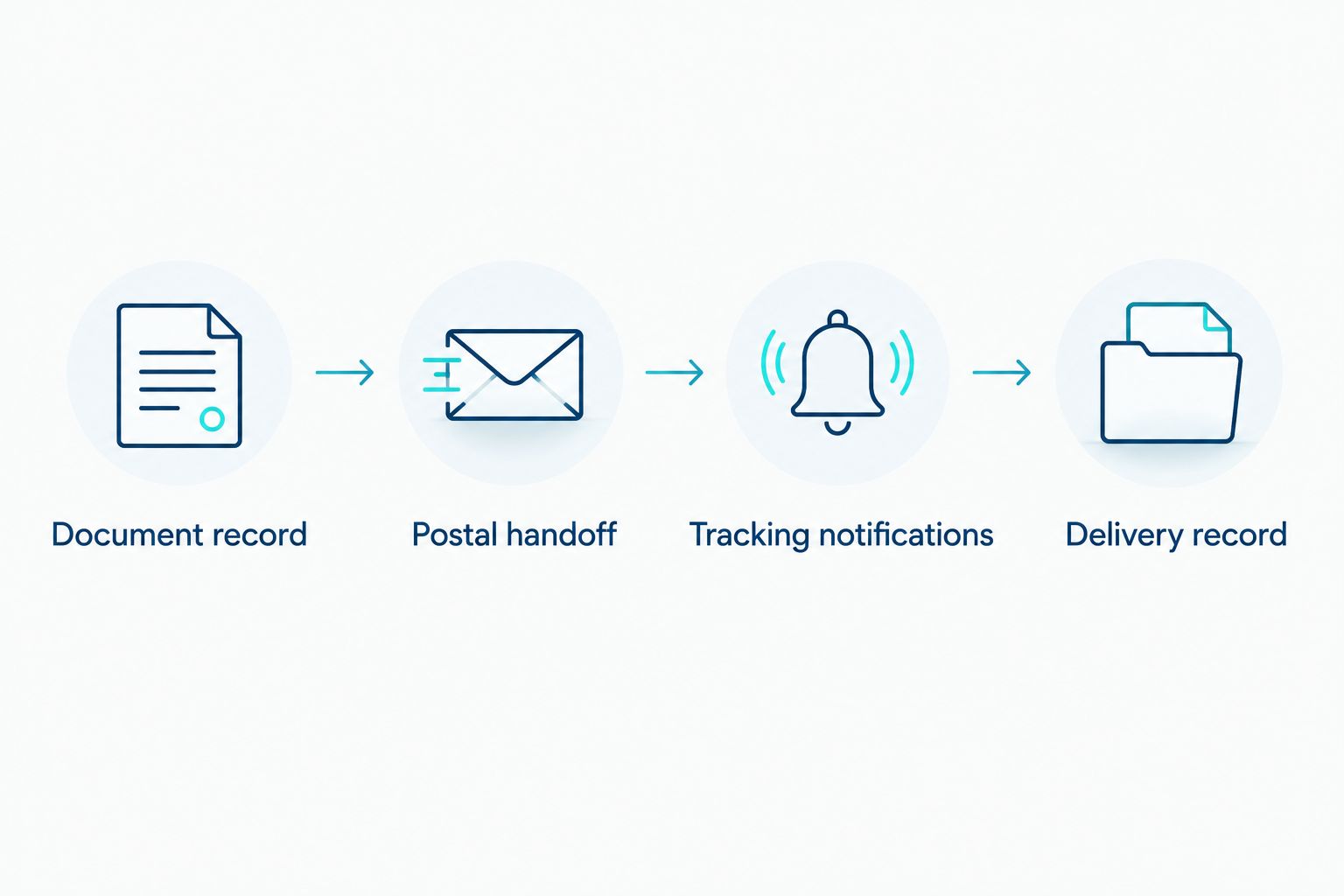
Update a shared file whenever tracking changes
A shared-inbox variant suits businesses that need coverage beyond one employee. Use the same envelope record and tracking number, but send postal notifications to the inbox assigned to the team.
- Assign ownership: Put the responsible person’s name in the file. Inbox access is not the same as responsibility.
- Match the event: Locate the record using the tracking number, not the email subject alone.
- Record the change: Enter the postal event and retain the source message according to your document policy.
- Route exceptions: Give attempted deliveries, returned mailings, and unresolved status questions a named follow-up owner.
If your existing document system supports an email-based automation, test its matching and update behavior before using it on live matters. Test a delivery event, an exception event, and an unrelated message. The unrelated message must leave the file unchanged.
Keep automation limited to the postal task. A postal event should not automatically mark a notarization, apostille request, loan closing, or legal matter complete.
Troubleshooting
A tracking number exists, but acceptance is not recorded
Check the original receipt and confirm who physically handed over the envelope. Label creation alone does not establish postal acceptance. Verify the tracking number before investigating the handoff, and use USPS support when the mailing history needs clarification.
Notifications are not arriving
Check the notification enrollment, destination email address, and junk-mail folder. Review the tracking page directly while resolving the notification issue. An empty inbox is not evidence that the mailing has had no activity.
Tracking shows attempted delivery or a return
Record the actual event rather than marking the file delivered. Review the USPS instructions associated with the mailing and contact the appropriate party about the next action. Do not resend legal documents without confirming the mailing instructions and any applicable deadline.
Delivery appears, but signature evidence is missing
Check whether a return receipt was requested and review its fulfillment separately. A delivery event and a return receipt are not interchangeable records. If you need evidence for a legal purpose, ask the responsible attorney which records meet that requirement.
An update reaches the wrong document file
Stop the automated rule and compare its matching criteria against the tracking number. Correct the affected record and review other records touched by that rule. Resume automation only after unrelated messages and different tracking numbers remain isolated in testing.
Customize your workflow
Start your 2026 process with the smallest useful scope: one envelope, one owner, and separate signing and postal records. Expand only after you can trace the full handoff without relying on someone’s memory.
For recurring document work, add internal fields for the requesting person, recipient instructions, and next action. Keep sensitive document contents out of routine postal notification messages. Give staff access according to their responsibilities.
Thecruznetwork provides mobile and remote online notary, apostille, certified mail, and signing coordination services in Miami-Dade. Confirm the service responsibilities before assuming any part of your tracking workflow is included. Call, text, or book online to discuss the document and mailing requirements.
Discuss your document mailing
Confirm notary, certified mail, and signing coordination responsibilities for your Miami-Dade documents.
FAQ
How do I automatically track certified mail after a Miami notary appointment?
Save the envelope’s USPS tracking number in your document record and enroll in the postal notifications offered for that mailing. Keep notarization completion separate from postal acceptance and delivery.
Does Thecruznetwork automatically update my document management system?
Do not assume an automatic connection to your document management system. Thecruznetwork provides notary and document services; confirm any requested tracking or reporting arrangement directly before relying on it.
Does a completed notarization prove that my documents were mailed?
No. Notarization and mailing are separate events, so retain the mailing receipt and review postal acceptance information independently.
Is Certified Mail tracking the same as a return receipt?
No. Certified Mail tracking reports postal activity, while a return receipt provides a separate delivery record with signature information. Decide which evidence you need before mailing.
Can I receive certified mail updates in a shared business inbox?
Use the designated business email address when enrolling in the email updates offered for the mailing. Assign a person to review exceptions so shared access does not leave the file without an owner.
What should I do when certified mail shows attempted delivery?
Record attempted delivery as an exception, not a completed delivery. Review the postal instructions and have the responsible person confirm the next action, especially when legal deadlines apply.
Can I mail a printed copy after remote online notarization?
Confirm the receiving party’s format requirements before mailing a printed electronically notarized document. Do not assume a printout satisfies requirements for an original or an electronic document.
One last thing
A tracking number identifies a mailpiece, not its contents. Before sealing the envelope, record which completed document package belongs to that tracking number. That connection is what makes the postal history useful when someone later asks exactly what was sent.