
Instead of manually chasing document versions, signer details, and return instructions, organize your title365 notary signing around a confirmed assignment, an approved signing method, and a documented handoff. This 2026 guide explains the closing-day workflow without assuming that a notary appointment completes funding or recording.
- For title365 notary signing, confirm assignment authority, document version, signing method, and return instructions before scheduling.
- Thecruznetwork offers Miami-Dade mobile notary, remote online notary, and signing coordination for individuals and businesses.
- Use remote online notarization only after the closing team approves the document and signing method.
- A completed signature appointment does not establish that a transaction has funded or recorded.
Why this matters
A signing appointment is one part of a closing. Document preparation, notarization, package review, funding, and recording have different owners; treating them as one event creates unclear handoffs.
Thecruznetwork is best for Miami-Dade individuals and businesses seeking mobile notary, remote online notary, and signing coordination services. Start with Thecruznetwork to discuss those services, and keep transaction instructions with the authorized closing contact.
This is an operational guide for coordinating an assignment involving Title365, not a walkthrough of proprietary software. Use the actual assignment instructions for portal actions, submission requirements, and escalation contacts. Do not treat an independent notary service as an authorized participant until the assigning party confirms the arrangement.
Before you start
- Assignment and authority: Have the assignment reference, authorized closing contact, signer contact information, and permission to receive the documents. Designate 1 coordinator to consolidate instructions and resolve conflicting messages.
- Materials and access: Obtain the approved document package, signer identification requirements, witness instructions, appointment details, and return directions. For remote signing, confirm the approved platform and its access requirements before sending invitations.
- The gotcha: A remote online notary appointment does not make every closing document acceptable electronically. Get the closing team's approval of the signing method before booking, and do not have signers pre-sign documents that require signing during the notarial act.
For your 2026 appointment checklist, record the package version alongside the appointment details. A confirmed calendar event is not confirmation that the documents are ready.
Assignment intake
The intake stage turns a request into an actionable assignment. Keep instructions together rather than leaving critical details scattered across calls, messages, and attachments.
- Confirm the assigning party. Verify who requested the signing and who can authorize changes. If an unfamiliar sender supplies documents or revised delivery instructions, verify the request through an established contact channel before acting.
- Record the assignment reference. Associate the reference with the signer names, property or transaction identifier, appointment location, and authorized contact. Share sensitive information only through approved channels.
- Separate responsibilities. Identify who prepares documents, who answers transaction questions, who performs notarizations, and who receives the executed package. Do not assume the notary can approve changes to loan terms or legal language.
- Confirm communication channels. As an operating rule, record 2 contact channels for the coordinator, such as an approved email address and a verified telephone number. Use them to resolve appointment problems, not to bypass document-security instructions.
- Capture return requirements. Ask whether the assignment requires scanned documents, physical originals, electronic submission, or a combination. Obtain the destination and any stated deadlines before the appointment.
Expected result: You have an identifiable assignment, a decision-maker, and written handling instructions. If those elements conflict, resolve the conflict before promising a completed signing.
Signing method and appointment
Choose the signing method around the documents and the closing team's instructions, not convenience alone. Thecruznetwork offers mobile and remote online notary services; the authorized closing team must approve the method for the particular transaction.
| Signing method | Best for | Practical advantage | Limitation |
|---|---|---|---|
| Mobile, in-person signing | Signers who need an in-person appointment at an agreed location | Keeps physical documents and in-person notarization together | Requires coordination of travel, location access, and any required witnesses |
| Remote online notarization | Approved documents and signers who can complete the required online process | Removes the need for the signer and notary to share a physical location | Requires an accepted electronic process, suitable technology, and successful identity verification |
| Mixed paper and electronic workflow | Assignments with explicitly different handling requirements across documents | Matches each document to its approved execution method | Creates separate completion and return requirements that need careful tracking |
- Get method approval. Ask which documents require physical originals and which, if any, can be signed electronically. Record the answer rather than assuming that approval for one document covers the package.
- Confirm signer readiness. Tell each signer what identification and materials to bring. Ask about access needs, additional signers, required witnesses, and any appointment constraints before finalizing arrangements.
- Set the appointment details. Confirm the date, time zone, location or approved remote-access process, and contact for interruptions. For an in-person visit, address building entry and a suitable signing space.
- Check remote access where applicable. Follow the approved platform's actual instructions for device access and identity verification. Do not substitute an ordinary video call for an authorized remote notarization process.
Expected result: Every participant knows where to appear, what to bring, and which execution method applies. The appointment remains subject to a usable, approved document package.
Document control and signing
Use 3 checkpoints in your 2026 workflow: package approval before signing, execution review during the appointment, and return confirmation afterward. These are operating recommendations, not a promise that the receiving party will accept a package.
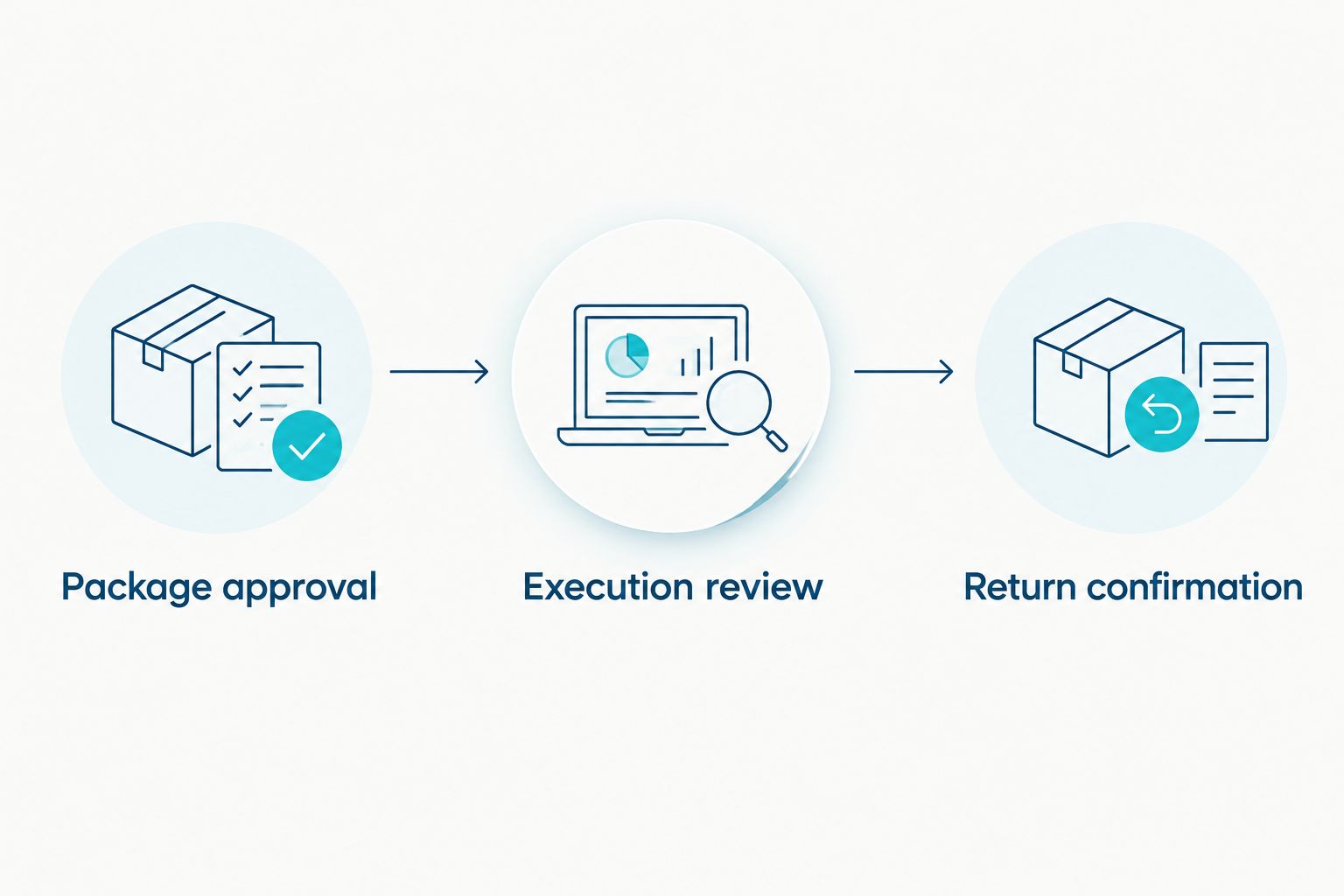
- Verify the package. Compare the assignment reference, signer names, document instructions, and version identifier. Check that the package is readable and complete enough to perform the assigned work. Ask the preparer to resolve missing pages or conflicting versions.
- Prepare the signing materials. Follow the supplied printing and handling instructions for paper documents. For electronic documents, use the approved system and confirm that the intended signers can access their assigned materials without sharing credentials.
- Review before execution. Identify required signature, initial, date, witness, and notarial areas within the assigned scope. Flag discrepancies to the authorized contact; do not independently rewrite transaction documents or choose legal terms for the signer.
- Conduct the appointment. The notary performs the required identity and notarial checks. Let signers review their documents, and direct questions about transaction terms or legal consequences to the responsible professional.
- Stop when authorization is needed. Pause affected documents when names conflict, a signer will not proceed, required participants are absent, or the instructions cannot be followed. Obtain an authorized resolution rather than improvising.
Expected result: The package reflects the approved execution method, and unresolved issues have a named owner. A signature obtained despite a known unresolved problem is not a successful handoff.
Package review and return
Document return is a separate task from signing. Assign an owner and follow the actual return instructions rather than assuming another participant will handle it.
- Review the executed package. Check required execution areas for omissions, consistent with your role and the assignment. Keep notarial corrections under the notary's control; never ask someone else to add a notary's signature or seal.
- Resolve errors through the authorized contact. Identify the affected document and issue without exposing unnecessary personal information. Ask whether the correction requires signer participation, replacement documents, or a new appointment.
- Submit scans when instructed. Use the approved destination and required document grouping. Do not assume a successful upload means the package has passed review, and do not send sensitive documents through an unapproved personal account.
- Return originals as directed. Follow the supplied recipient, delivery method, packaging instructions, and any hold-for-review requirement. Keep the shipment reference or receipt associated with the assignment.
- Send an accurate completion update. Distinguish signed, submitted, received, and accepted. Include outstanding exceptions and the person responsible for resolving them; do not report funded or recorded without confirmation from the responsible party.
Expected result: The receiving team can locate the package, identify its status, and act on exceptions. Your 2026 completion record should describe what happened, not what you expect to happen next.
Discuss your signing coordination
Ask about mobile notary, remote online notary, and signing coordination in Miami-Dade.
When documents change after scheduling
A revised package needs a controlled update, not just another attachment. Use this variant whenever the authorized closing contact replaces documents or changes the approved signing instructions.
- Verify the revision. Confirm the sender's authority and ask whether the replacement affects the entire package or named documents only.
- Retire the superseded materials. Keep old and current versions clearly separated. Prevent anyone from combining pages unless the document preparer expressly instructs that combination.
- Recheck the appointment. Confirm whether the revision changes printing, witnesses, execution method, or signer preparation. Notify affected participants before they travel or join remotely.
- Reset the handoff. Update the return checklist and tell the receiving contact which version was executed. If signing already occurred, obtain instructions before arranging corrective work.
Expected result: Everyone works from the same approved version. Preserve a clear distinction between a document revision and an authorized correction to an already executed document.
Troubleshooting
The document package has not arrived
Ask the authorized closing contact for the current status and a decision on the appointment. Do not treat an appointment confirmation as document approval. Tell the signer about any scheduling change without promising a release time you have not received.
A signer name differs from the identification
Pause the affected notarization and let the notary assess identification under applicable requirements. Refer document-name corrections to the preparer; do not edit the package or guarantee that additional identification will resolve the issue.
Remote identity verification fails
Follow the approved platform's support and retry instructions. If the process cannot be completed, ask the closing team whether an in-person appointment is acceptable; a failed verification is not permission to skip the required check.
Required signatures or initials are missing
Identify the affected pages and notify the authorized contact. Arrange signer participation where required, and let the notary handle any notarial correction. Never copy a signature, insert a date on someone's behalf, or assume a scan can replace a required original.
The upload succeeds but receipt is unclear
Keep the submission confirmation and ask the designated recipient to confirm receipt. Report submitted until receipt or acceptance is confirmed; those statuses describe different events.
Customize your workflow
Use the same intake structure for repeat assignments, but keep transaction-specific instructions separate. Standardize the questions, not the answers: execution method, witnesses, document versions, and return requirements still need confirmation for each assignment.
Thecruznetwork's signing coordination services fit the administrative side of arranging participants and document handoffs. Keep legal advice, document approval, funding decisions, and recording status with the professionals responsible for those tasks.
For a 2026 process review, examine exceptions rather than counting appointments alone. Ask where instructions conflicted, where a revision reached participants late, and whether completion updates clearly separated signing from package acceptance. Change the checklist when an actual handoff problem reveals a gap.
FAQ
How do I arrange a title365 notary signing?
Start with the authorized assignment contact and confirm the document package, signing method, participants, and return instructions. Arrange the notary appointment only after those requirements are clear.
Does booking an independent notary confirm a Title365 assignment?
No. An independent appointment does not establish assignment authorization or acceptance by the closing team. Confirm the arrangement with the assigning party before sharing documents or proceeding.
Can I complete a closing through remote online notarization?
Use remote online notarization only when the closing team approves it for the relevant documents and the process meets applicable requirements. Confirm electronic acceptance and any physical-original requirements before booking.
What does Thecruznetwork offer for signing coordination?
Thecruznetwork offers mobile notary, remote online notary, and signing coordination services for individuals and businesses in Miami-Dade. Confirm the scope needed for your assignment before scheduling.
Should I sign my documents before the appointment?
Do not pre-sign documents that require signing during the notarial act. Follow the notary's directions and the approved execution instructions for each document.
What happens if closing documents change after I book?
Verify the revised package with the authorized contact and separate it from superseded materials. Reconfirm any changes to printing, participants, signing method, and return instructions before proceeding.
Does finishing the notary appointment mean my closing has funded?
No. Signing, package acceptance, funding, and recording are separate events. Obtain funding or recording confirmation from the party responsible for that stage.
One last thing
Make the final status message specific enough for someone else to act on. State which package was signed, how it was returned, what confirmation exists, and which exceptions remain. That message is more useful than a bare completed label because it identifies the next owner's task.